
Patient Intake Automation: What It Is and How It Pays Off
Patient Intake Automation: What It Is and How It Pays Off
Patient intake automation replaces manual paperwork, phone tag, and front-desk data entry with digital forms, automated eligibility checks, and structured writeback to your EHR. The payoff shows up fast: shorter check-in times, fewer claim denials, and cleaner data flowing into the chart. Done right, it also lifts time-of-service collections, which is where most clinics leave real money on the table.
TL;DR:
- Automated eligibility checks before patient visits reduce claim denials and increase time-of-service collections by capturing coverage issues early.
- Visualized data writing back to EHRs as discrete fields improves data quality, streamlining billing and clinical workflows.
- Exception handling workflows are crucial to manage cases like incomplete forms or ambiguous coverage, preventing silent failures.
- Pilot projects focusing on high-friction visit types can validate revenue impacts and system reliability within a billing cycle.
- Custom automation builds are preferable for complex workflows or strict data residency needs, with MVPs deployed in under two weeks.
Table of Contents
- What Patient Intake Automation Covers Across the Patient Journey
- Core Functions Your Intake System Should Handle
- Measurable Benefits of Automating Patient Intake
- How to Automate Patient Intake: A Step-by-Step Rollout Plan
- Evaluating Intake Automation Vendors: What to Check Before You Buy
- What Real-World Intake Automation Data Tells Us
- Bespoke Automation vs Off-the-Shelf: When Each Makes Sense
- Build a Fit-for-Purpose Intake System With Zatersio
- Sources
What Patient Intake Automation Covers Across the Patient Journey
Patient intake automation isn’t one tool. It’s a chain of triggered events that starts the moment someone books an appointment and doesn’t stop until their visit data lands in the chart.
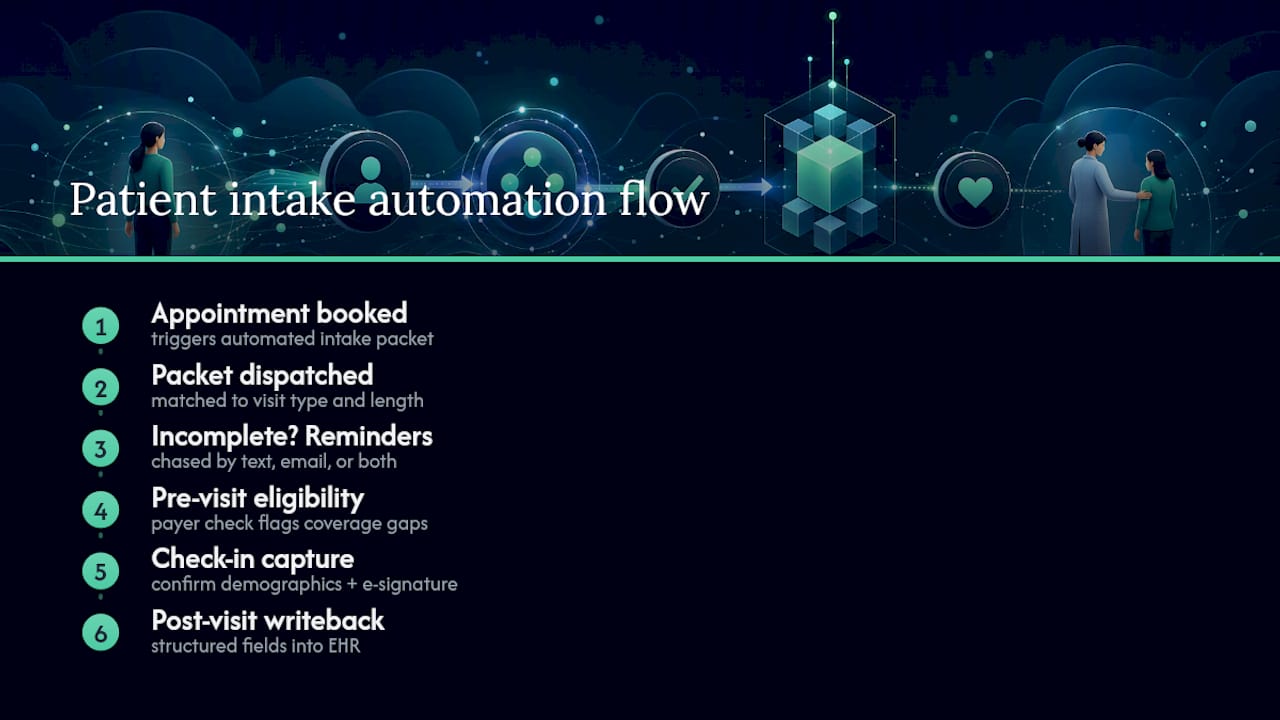
Here’s how the flow typically works. Booking a slot triggers an automated packet send, matched to visit type, so a new-patient consult gets a longer intake form than a follow-up. If the patient hasn’t finished the packet within a set window, the system chases them on a configured cadence, by text, email, or both, without a staff member lifting a finger. Previsit, the same automation layer can run an eligibility check against the payer, flagging coverage gaps before the patient walks in the door. At check-in, kiosks or mobile links confirm demographics and capture e-signatures. After the visit, structured fields write back to the EHR or practice management system as discrete data, not a scanned PDF someone has to retype.
This is where an automation layer earns its keep: it orchestrates your existing forms, EHR, and payer connections rather than forcing you to rip out what already works. The EHR stays the system of record; the automation layer just moves data into it faster and more accurately.
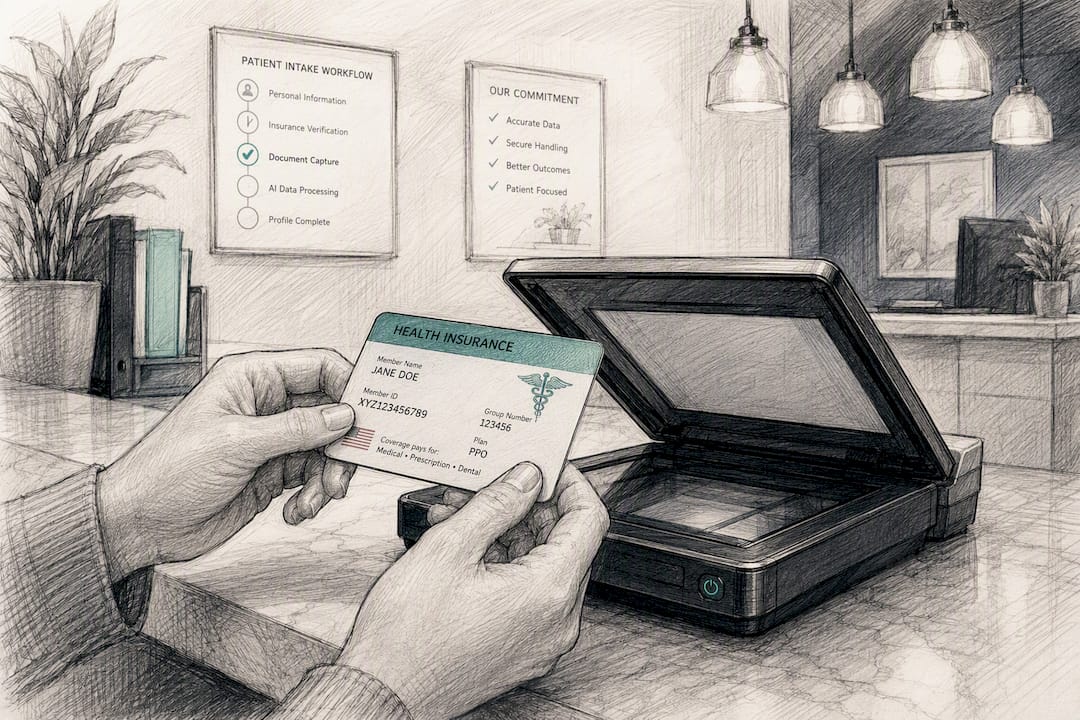
AI shows up in two specific places. Optical character recognition (OCR) handles document capture, like scanning an insurance card or ID and pulling the fields automatically. Conversational AI handles intake interviews, asking follow-up questions the way a nurse might, rather than presenting a flat checklist. Conversational intake tools can capture symptom history and urgency in more depth than a static form, and route flagged responses to a triage queue.
None of this runs without guardrails. Exception workflows matter as much as the happy path: a patient who can’t complete a form online, a coverage check that returns ambiguous results, or a symptom description that needs immediate clinical eyes all need a defined escalation route, not a silent failure.
Core Functions Your Intake System Should Handle
A serious intake automation platform needs to do more than digitize a paper form. At minimum, evaluate any solution against these functions:
- Mobile-first digital forms with conditional logic. Fields should branch based on prior answers (a pregnancy question only appears if relevant) and the form should render cleanly on a phone screen, since most patients complete intake outside the clinic.
- Configurable reminders and chase sequences. The system should nudge incomplete packets on a schedule you control, not a fixed default, and escalate to staff if a patient goes silent past a threshold.
- E-signature for consent and time-of-service capture. Legally binding signatures need to attach to the right form version and timestamp, both for HIPAA consent and financial responsibility agreements.
- Previsit eligibility and benefits verification. The platform should check active coverage and flag copay or deductible amounts before the visit, not during it.
- Structured writeback to your EHR or PM system. Data needs to land in discrete fields, not as an attached document, so it’s searchable and usable downstream.
- Exception queues with staff escalation. Anything the system can’t resolve automatically, a mismatched insurance ID, an incomplete field, an urgent symptom flag, should route to a visible queue rather than disappear.
Some platforms bundle eligibility checks, prior authorization automation, and contact-center workflows into a single access-and-engagement layer, which suits larger, multi-location groups more than a single-site clinic. Smaller practices often do better starting with the core five functions above and adding complexity only where the workflow demands it.
Measurable Benefits of Automating Patient Intake
The numbers on intake automation are specific enough to build a business case around, not just a vague efficiency argument.
Phreesia reports that customers using its digital check-in and previsit forms collect 89% of copays at time of service, against an industry average of 56%. That gap, roughly 33 percentage points, comes down to catching coverage issues and payment obligations before the patient reaches the counter instead of during an already rushed visit.
By the Numbers: Clinics using digital self-service check-in save more than 5 minutes of staff time per check-in, according to Phreesia’s reported figures, a saving that compounds across dozens of daily visits into hours of reclaimed front-desk capacity.
The benefits break down into four categories worth tracking on your own dashboard:
- Front-desk time. Fewer manual data-entry tasks per visit means staff spend more time on patients physically in front of them.
- Time-of-service collections. Verified coverage and clear cost estimates previsit translate into more payments collected at check-in rather than chased after the fact.
- Claim denials. Cleaner, validated demographic and insurance data reduces the rejected-claim rework that eats into billing staff time weeks after the visit.
- Patient throughput and experience. Shorter check-in queues mean less time in the waiting room and fewer bottlenecks during peak hours.
Data quality is the thread connecting all four. A form filled out carefully at home, with time to check an insurance card, tends to produce fewer errors than one rushed at a kiosk with a line forming behind the patient.
How to Automate Patient Intake: A Step-by-Step Rollout Plan
Automating intake without a plan usually means automating chaos faster. Here’s a sequence that works for most clinics, whether you’re deploying an off-the-shelf platform or commissioning a custom build.
- Set baseline KPIs before you touch anything. Measure current average check-in time, the percentage of incomplete intake packets, and your time-of-service collection rate. Without a baseline, you can’t prove the automation worked.
- Choose your approach. An automation layer orchestrates your existing forms and EHR without replacing either. Replacing the form entirely means adopting a new intake platform outright. Conversational AI intake goes further, running a guided interview instead of a static questionnaire. Complexity and budget should decide which path fits, not which one sounds most modern.
- Design mobile-first forms with real branching logic. Mandatory fields should be genuinely mandatory (insurance ID, date of birth, emergency contact), and conditional questions should only appear when relevant, keeping the form short for most patients.
- Test writebacks in a sandbox before going live. Confirm the automation writes to the correct EHR fields, not just that an API connection exists. Where clinical coding matters, check that the mapping aligns to a recognized standard like SNOMED rather than free text your EHR can’t search.
- Lock down compliance controls. Confirm a signed BAA, encryption in transit and at rest, audit logging on every data touchpoint, and clarity on where patient data physically resides. Data residency requirements vary by jurisdiction and by payer contract, so this isn’t a box to check once and forget.
- Pilot with one visit type at one site. New-patient consults work well because they have the highest packet-completion friction and the clearest baseline to measure against. Run the pilot long enough to see a real pattern, then compare the results against your baseline KPIs.
- Build monitoring into daily operations. Set up a dashboard that tracks completion rates and collection rates weekly, run periodic cadence tests to confirm reminders are actually firing, and write a short staff playbook for handling exceptions so front-desk turnover doesn’t erase institutional knowledge.
Pro Tip: Run your pilot on a visit type with a known, painful baseline, like new-patient consults with a high incomplete-packet rate, rather than your easiest workflow. A pilot that only proves automation works on already-simple visits tells you nothing about whether it can handle your actual bottlenecks.
Conversational AI vendors sometimes advertise start-to-EHR completion times under two minutes in demo conditions. Real-world performance depends heavily on form complexity and patient comfort with the interface, and clinical review remains necessary for anything flagged as urgent or ambiguous. Treat demo numbers as a ceiling, not a guarantee.
Evaluating Intake Automation Vendors: What to Check Before You Buy
Procurement conversations tend to focus on price and feature lists. The questions that actually predict success are narrower and more specific.
- Ask for a sample field-level writeback, not just an API compatibility statement. A vendor claiming “EHR integration” should be able to show you exactly which fields populate and how, in a sandbox, before you sign anything.
- Confirm the BAA and where data physically lives. General-purpose automation tools without a signed BAA introduce compliance risk that’s easy to miss during a sales demo but expensive to discover later. Data residency options matter too, particularly for practices with jurisdiction-specific storage requirements.
- Review real accuracy numbers for OCR and AI features. Ask what error rate their document capture or conversational intake produces on messy, real-world inputs, not clean test data.
- Check the exception-handling console. Ask to see how a failed eligibility check, an incomplete form, or a flagged symptom actually surfaces to staff, and how escalation is configured.
- Get specific on commercial terms. Pricing model (per-visit, per-provider, flat fee), implementation timeline, and support SLAs should be in writing before a pilot begins, not negotiated after.
Red flags worth walking away from: vendors who can’t demonstrate a live sandbox writeback, anyone vague about data residency or BAA terms, and any pitch that promises full automation with no exception workflow at all. Intake always has edge cases. A vendor who hasn’t planned for them hasn’t built a real system.
What Real-World Intake Automation Data Tells Us
Most conversations about intake automation focus on labor savings, minutes saved per check-in, fewer phone calls chasing paperwork. That’s real, but it’s usually the smaller number.
Practitioner insight from the revenue cycle side points to a downstream effect that’s easy to underestimate: when demographic and insurance data get verified and synced before the visit, time-of-service collections climb and claim denials drop. A denied claim doesn’t just cost the original payment, it costs staff hours resubmitting and appealing, often weeks after the patient has left.
The Real ROI Signal: The labor savings from automated intake are visible immediately. The revenue effect, fewer denials and higher time-of-service collections, tends to show up over a full billing cycle and is frequently the larger number once it does.
This is also where scoping a focused build pays off. A rapid MVP that automates one high-friction workflow, previsit eligibility checks for new-patient consults, for instance, can validate the revenue effect within a single billing cycle before a clinic commits to a larger rollout.
Bespoke Automation vs Off-the-Shelf: When Each Makes Sense
Off-the-shelf intake platforms make sense when your workflow is standard: one location, common visit types, a mainstream EHR with well-documented integrations. Speed to value is the advantage. You’re live in weeks, not months.
Bespoke automation earns its cost when your situation isn’t standard. Multi-location clinics with different intake rules per site, specialty workflows that don’t map to generic form templates, or strict data residency requirements that rule out platforms hosted overseas all push toward a custom build. A rapid MVP approach narrows that gap: instead of a year-long build, you get a working intake automation piece scoped to your actual bottleneck.
Run through four questions before deciding: How complex is your workflow, really? How many systems does this need to talk to? What’s the budget ceiling? How fast do you need results? If the answers point to “unusual, several integrations, moderate budget, fast,” a scoped custom build usually beats forcing a generic platform into a shape it wasn’t designed for.
— Lakitha
Build a Fit-for-Purpose Intake System With Zatersio
If your intake workflow doesn’t fit neatly into an off-the-shelf platform, multiple locations, a specialty EHR, or strict data residency needs, a custom build gets you exactly the automation you need without paying for features you’ll never use. Zatersio delivers working MVPs in under two weeks, at a fixed price agreed upfront, with Australian data residency options for clinics that need patient data to stay onshore.

Projects that qualify may also be structured to take advantage of the R&D Tax Incentive, which can offset part of the development cost for eligible builds. Zatersio’s healthcare automation work covers intake workflows, AI booking, and eligibility checks scoped to how a specific clinic actually operates, not a generic template.
The next step is straightforward: request an intake audit, and Zatersio will scope a pilot MVP around your highest-friction visit type, whether that’s new-patient consults, previsit eligibility checks, or exception handling for incomplete packets. Most pilots are scoped and quoted within days. Start your MVP scope and see what a two-week build looks like for your clinic.
Sources
- Patient intake automation software, HIPAA-compliant | Keragon
- AI Patient Intake Form | Perspective AI
- Revenue cycle management (RCM) practitioner insight | SmartData