LegalBox: AI that never leaves the building
A device that runs advanced models inside your firm's own network, on hardware you own. Confidential and privileged matter files never touch a public cloud, and no part of a question is sent to a third-party AI provider.
Network connected
Matter files
on your server
LegalBox
models on board
Public cloud
link up
Bytes sent out: 0
Ask
Does the supply agreement let the buyer cancel late deliveries?
LegalBox, answered on device
Connected, and still nothing goes out. Pull the cable to prove it. Illustrative of the product on synthetic data.
Try it: pull the cable and watch the answer come back anyway.
Regulators have already said not to paste it into a chatbot
Australian courts and legal regulators have issued guidance cautioning practitioners against putting confidential or privileged client material into public AI tools. The reasoning is straightforward: once the text leaves your network, you no longer control who stores it, where it is stored, or what it is used for. Vendor assurances are contractual, not architectural.
Banned it, or used it anyway
Firms have split into two camps. Some banned AI outright: compliant, and slower than the firm across the road. Others use cloud AI quietly and carry a risk nobody has written down. Both camps are responding to the same missing option, which is a way to get the capability without the exposure.
We checked what 283 Australian law firms publish about their own use of AI: of the 260 whose websites we could reach, none publish an AI policy and 4 tell clients how AI touches their matter. Read the AI Transparency Index.
The capability, without the exposure
On your premises
The device sits in your office, on your network, under your physical control. Nothing is rented from a data centre you have never seen.
Verifiable egress
Zero network egress is the default, not a setting buried in an admin panel. Your IT team can monitor the segment and confirm it themselves.
Grounded in your own sources
Answers are retrieved from the firm's own precedents, policies and matter material, with citations back to the source so a lawyer can check the work.
Owned, not subscribed
You buy the hardware. There is no per-seat cloud fee, no metered token bill, and no vendor who can change the terms on data you already handed over.
What's inside the box
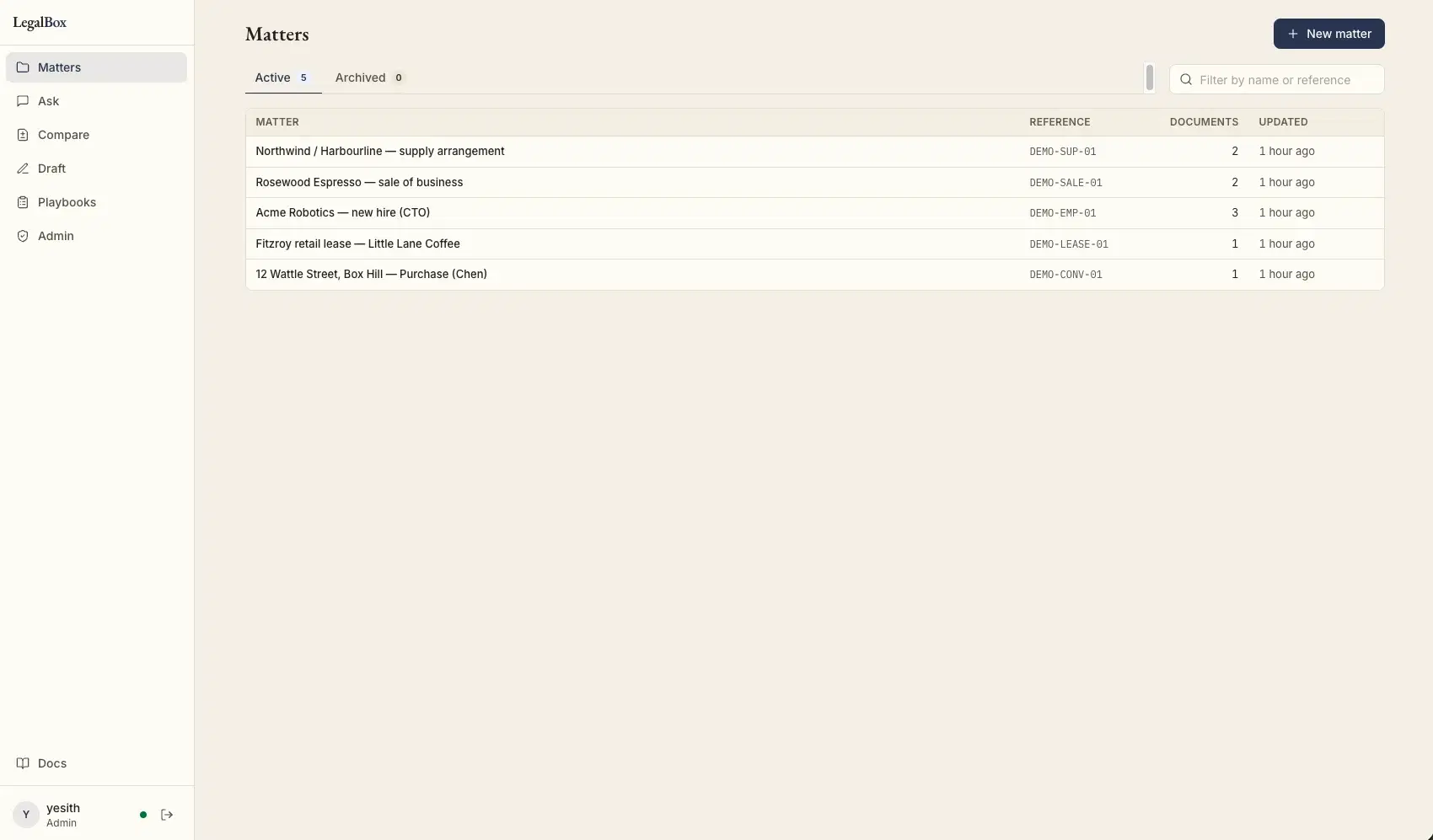
Matters
Work is organised by matter, the way the firm already thinks. Documents are attached to a matter and stay scoped to it.
Ask
Ask a question across a matter's documents and get an answer with citations back to the clause it came from, so it can be checked rather than trusted.
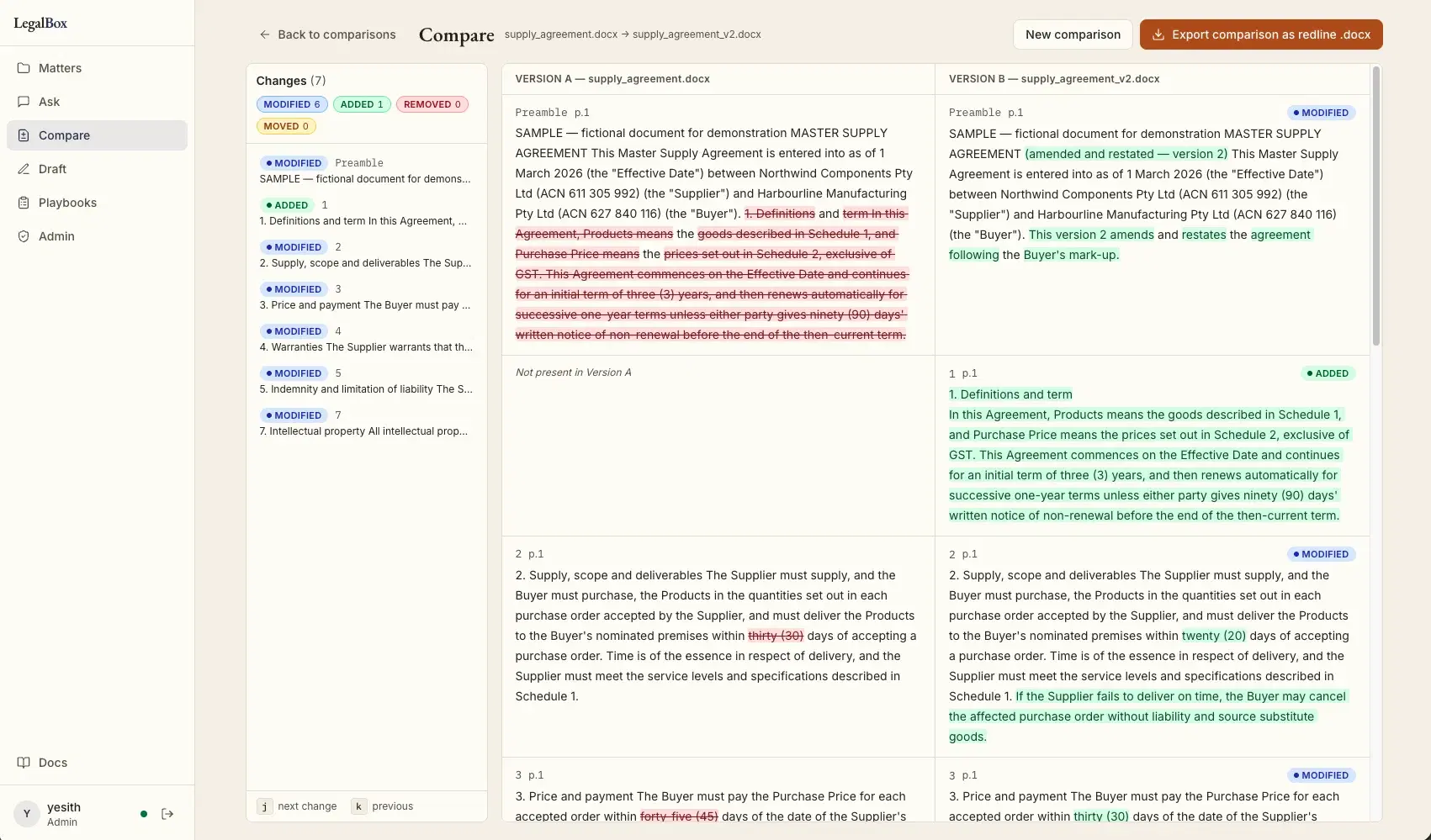
Compare
Diff two versions of an agreement clause by clause: modified, added, removed and moved. Export the comparison as a redline .docx.
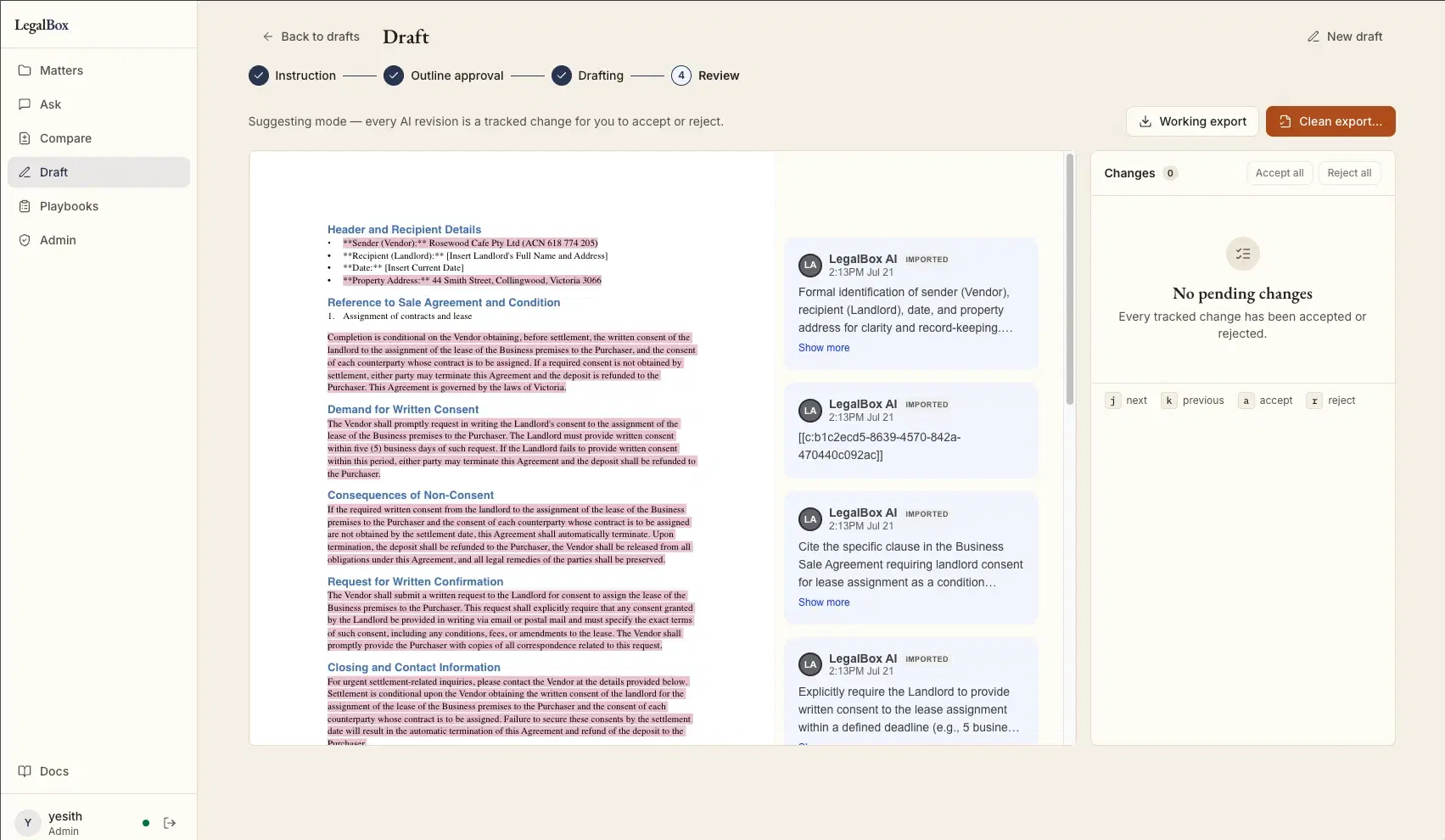
Draft
Instruction, outline approval, drafting, then review. Every AI revision arrives as a tracked change you accept or reject before it reaches the document.
Playbooks
Encode the firm's own positions and preferred clauses once, so drafting and review follow your standards instead of a generic template.
Admin
User and access control stays with the firm. There is no vendor console on the internet holding the keys to your matters.
The device, running
“If your AI vendor can't survive you unplugging the cable, ask what's on the other end of it.”
It is a two-minute test and it does not require a security audit to run. We run it on our own device in front of you.
What sits in the comms cabinet
- Platform
- GMKtec EVO X2
- Processor
- AMD Ryzen AI Max+ 395
- Memory
- 128 GB unified
- Inference
- Local. No third-party LLM API
- Network
- Zero egress by default
- Ownership
- Hardware bought outright
This is the current demonstration device. Larger firms can be sized up; the architecture does not change.
Twenty minutes, and your IT team is invited
We send an architecture and security summary ahead of time so your IT team can read it before anyone talks about features. Then we demonstrate the device on synthetic data, and pull the cable while it is running so you can see what happens: nothing.
LegalBox is a working demonstration device today. Demonstrations use synthetic data, never real client material.
LegalBox FAQ
Keep exploring
Book a 30-minute call
30-minute call with Lucky, our lead engineer. You leave with a ranked list of what to automate in your business and a fixed-price estimate within 48 hours. No obligation.