
Service Blueprinting Examples That Show You Exactly What to Build
Service Blueprinting Examples That Show You Exactly What to Build
A service blueprint is a diagram that maps every customer-facing action against the frontstage staff, backstage systems, and support processes that make it happen. It exists to answer one question your customer journey map can’t: why does the wait, the dropped ball, or the duplicate data entry actually occur?
Good blueprints expose problems that are invisible from the front counter: a handoff between two teams that nobody owns, a photo upload that has to be manually re-keyed into a second system, or a 20-minute “processing” step that’s really just a queue behind one overworked person. You don’t have to build your first one from scratch. Nielsen Norman Group publishes a clear definitional framework, Miro has ready-made collaborative templates, and Digital NSW offers a government-grade downloadable template built for real service teams.
- Invisible handoffs between departments that no single person owns
- Media breaks where data is re-typed instead of passed through a system
- Wait-time traps hidden inside vague steps like “processing” or “review”
Pro Tip: Once you’ve mapped the backstage mess, Zatersio can help you turn the worst offenders into a scoped MVP or automation build, often without waiting on a full redesign.
Key Takeaways
Service blueprints work because they force an explicit link between customer-facing steps and the backstage systems, roles, and handoffs that actually produce them.
| Point | Details |
|---|---|
| Scope narrow, not wide | Build multiple scenario-specific blueprints instead of one blueprint covering an entire service relationship. |
| Start with named templates | Digital NSW and Miro both offer ready-to-use blueprint templates for government and workshop settings. |
| Look for media breaks | Data that moves manually between systems is the highest-impact, lowest-effort automation target. |
| Validate with frontline staff | Backstage assumptions from managers are frequently wrong; confirm them with the people doing the work. |
| Turn findings into a build | Blueprint-identified automation candidates translate directly into a scoped, fixed-price MVP or automation project. |
Ready to turn your blueprint findings into working software instead of a slide deck? Zatersio builds fixed-price MVPs and automation projects, often eligible for the R&D Tax Incentive, directly from the backstage gaps a blueprint reveals. Book a discovery call to scope your project, or explore MVP development built for teams ready to move from diagram to deployment in under two weeks.
Table of Contents
- What Is a Service Blueprinting Example, and What Are Its Core Elements?
- When Should You Use a Service Blueprint Instead of a Journey Map?
- What Should You Capture in Each Blueprint Lane?
- How Do You Create a Service Blueprint Step by Step?
- Three Annotated Service Blueprint Examples You Can Copy
- Where Can You Find Templates and Which Tools Work Best?
- Using a Service Blueprint to Scope Automation and an MVP
- How Do You Read a Blueprint to Find Real Improvement Opportunities?
- What Do Service Blueprints Look Like in Banking and Public Services?
- How Do Journey Maps and Service Blueprints Work Together?
- What Do Real Blueprinting Case Studies Show?
- An Editorial Take on Avoiding the Biggest Blueprinting Mistake
- Frequently Asked Questions
- Sources
What Is a Service Blueprinting Example, and What Are Its Core Elements?
A service blueprint example lays out five horizontal lanes stacked above and below a line of visibility: physical evidence, customer actions, frontstage actions, backstage actions, and support processes. Each lane captures a different layer of the same service moment, so you can trace a single customer step straight down to the system or person that actually delivers it.
- Physical evidence: what the customer sees or touches (a receipt, an app screen, a signed form)
- Customer actions: the steps the customer actually takes
- Frontstage actions: staff or interfaces the customer interacts with directly
- Backstage actions: work happening out of sight that supports the frontstage
- Support processes: internal systems, vendors, and processes with no direct customer contact
Three lines separate these lanes, and they matter more than the boxes themselves. The line of interaction separates the customer from the organization. The line of visibility separates frontstage from backstage. The line of internal interaction separates staff-facing work from pure back-end systems.
Nielsen Norman Group describes service blueprints as diagrams that visualize the relationships between people, physical evidence, and processes tied directly to specific touchpoints, which is what makes them diagnostic rather than just descriptive.
When Should You Use a Service Blueprint Instead of a Journey Map?
Blueprints earn their keep when the problem lives behind the curtain, not in front of it. A journey map tells you the customer is frustrated. A blueprint tells you why.
- Reveals backstage causes behind frontstage symptoms like delays or inconsistent service
- Surfaces handoffs between teams, systems, or vendors that nobody is explicitly accountable for
- Reduces cycle time by showing where a step waits on a person, approval, or manual export
- Aligns teams around one shared artifact instead of separate mental models of “how it works”
Reach for blueprinting when you’re dealing with a complex omnichannel service, a cross-department breakdown, a stubbornly long cycle time, or a process like onboarding or returns that touches five systems and three teams. If the fix is purely about tone, layout, or emotional experience, a journey map or prototype will get you there faster.
What Should You Capture in Each Blueprint Lane?
The biggest blueprinting mistake isn’t missing a step. It’s capturing too many of them at the wrong resolution. Here’s a lane-by-lane checklist that keeps a blueprint useful instead of overwhelming.
- Physical evidence: capture the actual artifact (screenshot, PDF, confirmation email), not a description of it. If it’s digital, note the file type and where it’s stored.
- Customer actions: aim for a moderate number of steps per scenario to maintain clarity and usability. Fewer than that hides real friction; more than that turns the blueprint into a flowchart nobody reads.
- Frontstage and backstage actions: tie every action to a named role, the system it runs on, and any service-level expectation attached to it.
- Support processes: include third-party APIs, payment processors, and external partners explicitly. This is where automation candidates usually hide.
The traps that ruin blueprints: unlabeled media breaks, handoffs nobody admits owning, and scope that tries to cover an entire customer relationship in one diagram.
Pro Tip: Scope multiple, focused blueprints instead of one giant one. Nielsen Norman Group recommends separate, scenario-specific blueprints, since a single sprawling diagram becomes too dense to act on.
How Do You Create a Service Blueprint Step by Step?
Blueprinting works best as a working session, not a solo documentation exercise. Pull in the people who actually run the backstage, not just the ones who manage them.
- Involve the right roles: frontline staff, an operations lead, a systems or IT owner, and someone from customer support who hears the complaints firsthand.
- Scope one scenario: pick a single customer situation (new customer, return, complaint) rather than “the whole service.”
- Map customer actions first: write these on sticky notes or a digital board before touching frontstage or backstage.
- Map frontstage, then backstage, then support processes: work top to bottom, so every action traces back to a customer step.
- Validate with the staff who actually do the work: assumptions about backstage processes are wrong more often than teams expect.
Set a reasonable timebox for each lane in a workshop setting, and gather real evidence (screenshots, actual emails, real timestamps) rather than relying on memory. Re-run the blueprint when a system changes or roughly once every year to a year and a half, and store the working file in a versioned system so the next team can build on prior work.
Pro Tip: Keep a dated version history of every blueprint. Six months from now, “what changed” is the most valuable question you’ll ask of it.
Three Annotated Service Blueprint Examples You Can Copy
E-commerce returns. Customer actions: request return, print label, drop off package, wait for refund. The common media break sits between “photo of damaged item uploaded” and “claims team review”: most platforms don’t pipe that image into the refund system automatically, so a person manually re-attaches it. The backstage fix is usually a simple integration or an automated intake form that routes the photo straight to the claims queue, cutting the refund cycle from days to hours. Interaction Design Foundation documents exactly this pattern across e-commerce blueprints.
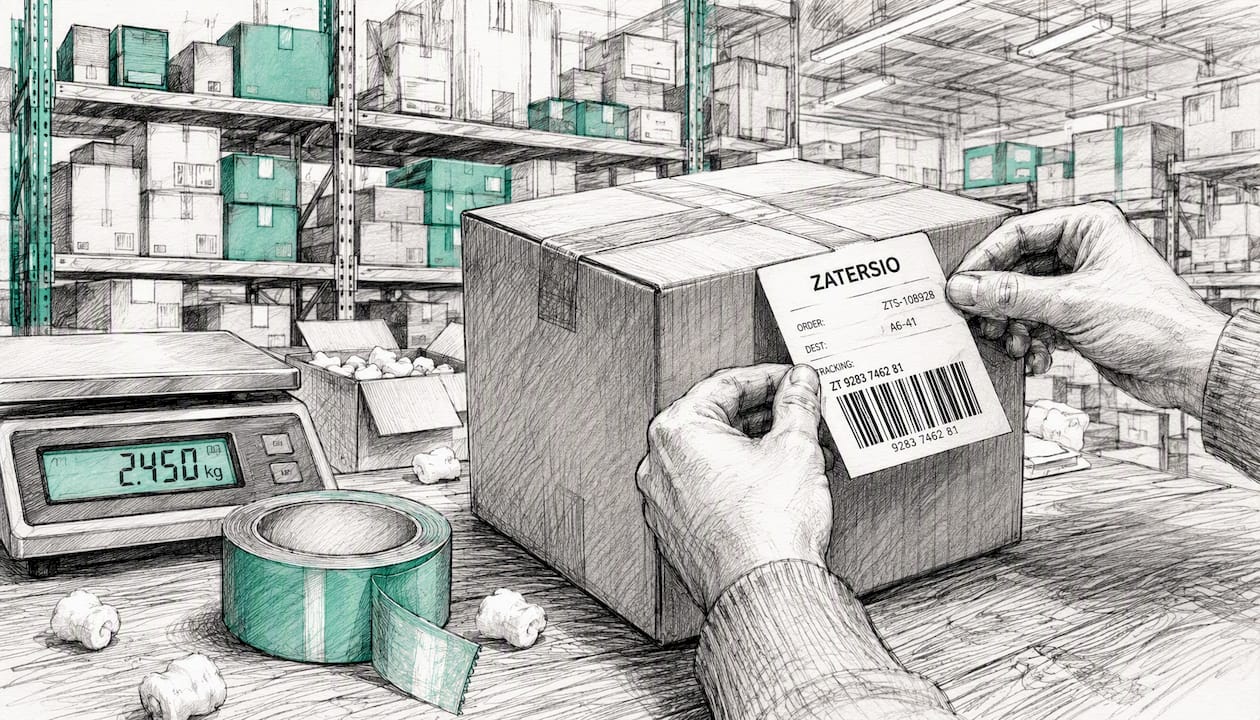
Restaurant: takeout vs. dine-in. These need two separate blueprints, not one. Dine-in includes seating, table service, and payment at the table. Takeout includes online ordering, kitchen prep timing, and a pickup handoff that’s easy to under-scope. Smaply’s guide flags exactly this kind of wait-time trap: the “food is being prepared” step often hides a queue behind a single kitchen printer nobody staffed for volume.
Hospital registration to discharge. Customer actions: check in, wait, see a clinician, get tests, receive results, discharge. The riskiest handoffs sit between registration and clinical intake, and between ordering a lab test and the result reaching the treating clinician. Blueprints surface these safety risks precisely because they force you to name which system holds the data at each handoff, and whether a person or an interface bridges the gap.
When reading any of these, start at the handoffs, not the steps. Wait-time traps almost always hide inside a vague box like “processing” or “review.” If a step has no named system or owner attached to it, that’s your first place to dig.
Where Can You Find Templates and Which Tools Work Best?
You don’t need to build a blueprint template from a blank canvas. Digital NSW’s official service blueprint template is built for government-grade services and explicitly maps customer experience against the teams, legislation, and data behind it, which makes it a strong starting point even outside government work.
For live workshops, Miro’s collaborative templates let a distributed team fill lanes together in real time, with sticky notes, voting, and comment threads built in. Figma’s FigJam serves a similar purpose if your team already lives in Figma. Servicedesigntools is worth a look if you want alternate template formats and layout styles.
- Workshop use: prioritize real-time collaboration and easy sticky-note reorganization
- Documentation use: prioritize export quality, version history, and integration with your product or design tools
- Team scale: confirm the tool supports the number of concurrent editors your workshop actually needs
Using a Service Blueprint to Scope Automation and an MVP
Every backstage box in a blueprint is a candidate for automation. Repeatable manual steps, undocumented handoffs, and gaps between systems that should talk to each other but don’t are exactly what Smaply’s guide calls media breaks, and they’re the lowest-effort, highest-impact place to start.
- List every manual handoff and media break your blueprint reveals.
- Pick 3 to 5 candidate automations based on frequency and time cost, not gut feel.
- Estimate effort per candidate in rough days, not months.
- Measure your baseline (current cycle time, error rate, or hours spent) before building anything.
Pro Tip: Blueprint findings translate directly into scoped work. Zatersio uses exactly this kind of automation blueprint to define a fixed-price MVP or automation build around the highest-impact backstage fixes, instead of trying to automate everything at once.
How Do You Read a Blueprint to Find Real Improvement Opportunities?
Reading a finished blueprint is a different skill from building one. Start by scanning the line of visibility for any backstage box that has no clear owner. Unowned work is where accountability quietly disappears, and it’s usually the first thing to fix.
Next, count how many times customer data crosses from one system to another. Each crossing is a potential media break, and each one is a place where someone might be retyping information that already exists somewhere else. Interaction Design Foundation notes that these system-to-system gaps are consistently where bottlenecks cluster, regardless of industry.
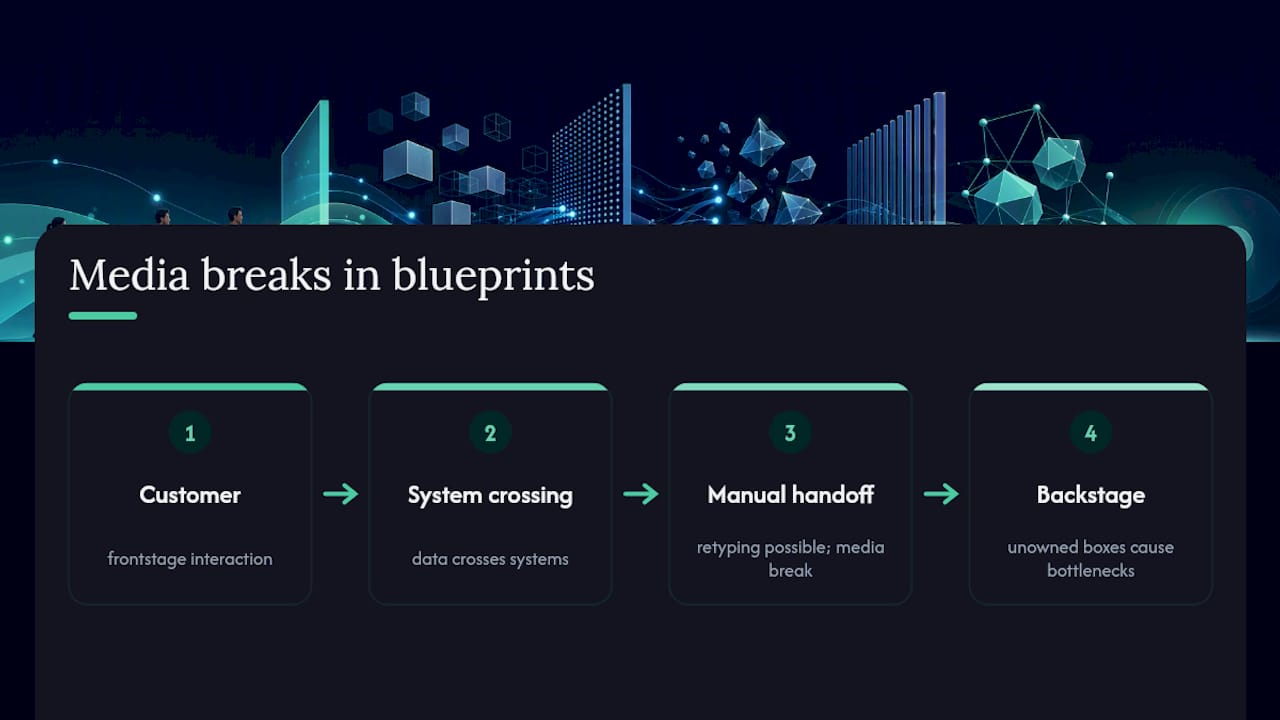
Then look at time, not just steps. A blueprint with five boxes can still hide a two-day delay if one box represents a queue. Ask your team, box by box, “how long does this actually take, and why?” The honest answer is often uncomfortable, and that’s usually a sign you’ve found something worth fixing.
Finally, cross-reference frontstage friction against backstage cause. If customers complain about slow responses, trace that complaint down through the line of visibility until you hit the actual bottleneck, whether it’s a understaffed queue, a manual approval step, or a system that only syncs once a day. The SI Labs case patterns show this repeatedly: the real root cause almost always sits in backstage coordination, not in anything the customer can see.
What Do Service Blueprints Look Like in Banking and Public Services?
Blueprinting isn’t limited to retail, restaurants, and hospitals. A bank’s mortgage application blueprint typically maps customer actions like document upload and identity verification against backstage credit checks, compliance review, and underwriting systems, several of which run on entirely separate platforms that don’t talk to each other in real time. That gap is usually the single biggest source of delay in the entire process.
Financial planning firms hit a similar pattern: a Statement of Advice has to move through data gathering, compliance review, and document generation, often with backstage steps that are still manual even when the frontstage feels modern. Zatersio’s work with financial planners shows how automating just the document-generation step, once it’s clearly mapped, can cut turnaround from days to hours.
Public services present a different challenge: legislation and policy sit inside the support processes lane, not just systems. Digital NSW’s own template exists specifically because government services need to map legal constraints and interagency data-sharing alongside the customer experience, something a private-sector blueprint rarely has to account for. Mortgage brokers face a lighter version of the same problem, coordinating between lenders, brokers, and compliance checks that each live in separate systems.
What all three share is the same underlying lesson: the customer-facing steps look almost identical to a private-sector service, but the backstage complexity, and the compliance weight riding on it, is what a blueprint actually exposes.
How Do Journey Maps and Service Blueprints Work Together?
Customer journey mapping and service blueprinting solve different halves of the same problem, and using only one leaves a blind spot. A journey map captures emotion, motivation, and the customer’s perception at each stage. A blueprint captures the mechanics that produce that experience. Interaction Design Foundation’s service design resources frame this as sequential: map the journey first to find where friction feels worst, then blueprint that exact stage to find out why.
In practice, that means starting broad. Build a journey map across the entire customer relationship, from awareness to renewal or churn, and flag the two or three stages with the lowest satisfaction scores or the most complaints. Then build a focused blueprint for each of those specific stages, rather than trying to blueprint the entire journey at once. This keeps both artifacts usable: the journey map stays a strategic overview, and each blueprint stays a scoped diagnostic tool.
The handoff between the two documents matters as much as either document alone. A pain point flagged on the journey map (“customers feel ignored after submitting a support ticket”) becomes a specific investigation target on the blueprint (“trace the ticket from submission through triage, assignment, and response, and find where it sits idle”). Teams that skip the journey map often blueprint the wrong stage entirely, spending a full workshop mapping a process customers barely notice while the actual pain point goes unexamined.
What Do Real Blueprinting Case Studies Show?
The clearest lesson from documented blueprinting work is that frontstage fixes alone rarely solve the underlying problem. SI Labs’ documented case patterns show this directly: teams that redesign the customer-facing interface without touching backstage coordination tend to see the same complaints resurface within a few months, because the root cause, an unowned handoff or a manual process, never actually changed.
SI Labs’ own workshop-based case example, a filled B2B insurance claims blueprint, illustrates this pattern in a single service: the frontend claim submission looked clean and modern, but the actual delay lived in a three-step backstage handoff between intake, underwriting, and approval, each running on a different internal system with no shared tracking.
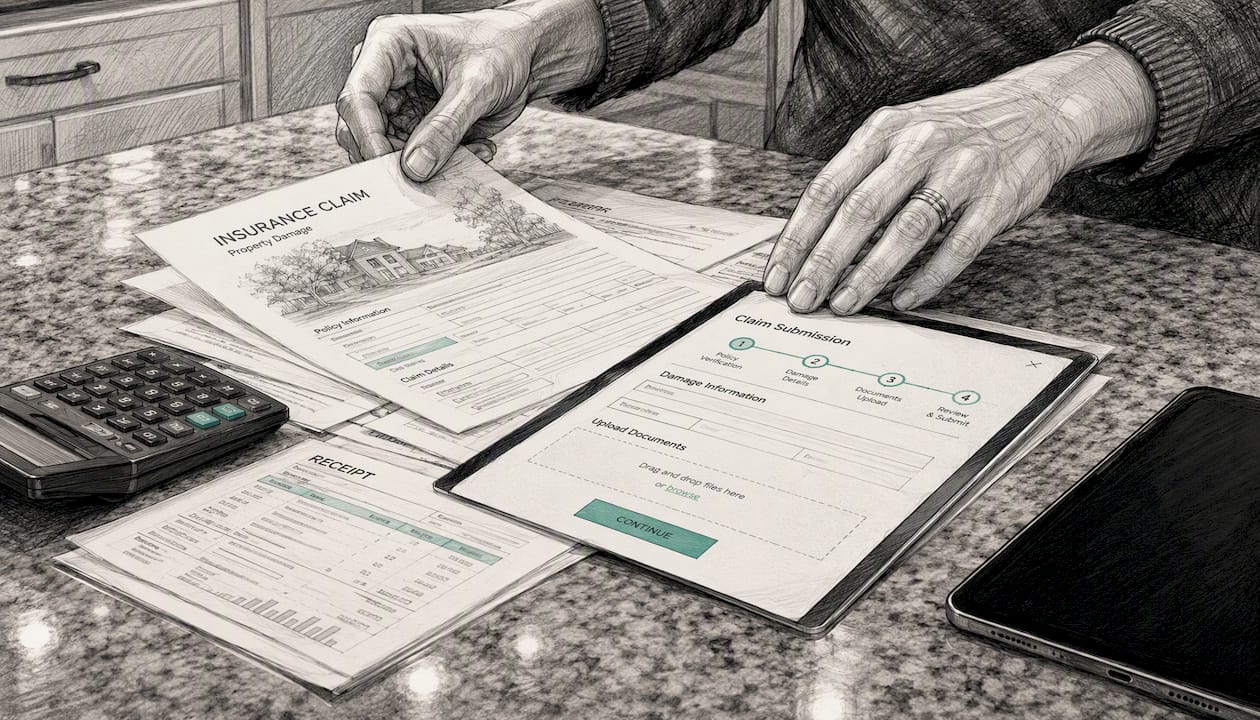
The pattern holds across industries. A retail return process might look identical from the customer’s side across two competitors, but the backstage blueprint reveals wildly different refund timelines depending on whether the claims system connects directly to the payment processor or requires manual reconciliation. Blueprinting doesn’t just describe these differences; it’s often the only method that makes them visible before a customer complaint forces the issue.
The consistent thread across documented blueprinting work: service blueprints function as the foundational method in service design precisely because they force an explicit link between what the customer sees and what actually produces it, a connection that frontstage-only redesigns routinely miss.
An Editorial Take on Avoiding the Biggest Blueprinting Mistake
Most teams fail at blueprinting by scoping too big. One “complete customer journey” blueprint tries to hold onboarding, support, billing, and renewal all at once, and it collapses under its own detail before anyone acts on it. Build five focused blueprints instead of one sprawling one, and validate every backstage assumption with the person who actually does the work, not the manager who thinks they know.
Frequently Asked Questions
What’s the difference between a service blueprint and a customer journey map? A journey map tracks how the customer feels and behaves across a relationship. A service blueprint adds the backstage layer, showing which systems, staff, and processes actually produce each step the customer experiences.
How detailed should a service blueprint be? Aim for 6 to 12 customer action steps per scenario, with every frontstage and backstage box tied to a named role or system. More detail than that usually means the scope is too broad, not that the blueprint is more thorough.
Do I need special software to create a service blueprint? No. A whiteboard and sticky notes work fine for a first draft. Tools like Miro or FigJam help when a team is distributed or needs to preserve version history for future updates.
How often should a service blueprint be updated? Re-run it whenever a core system or process changes, or roughly every 12 to 18 months if nothing major shifts. An outdated blueprint that still shows a deprecated system is worse than no blueprint at all.
Can a service blueprint help scope a software automation project? Yes. The backstage lane is essentially a candidate list for automation. Manual handoffs and media breaks identified in a blueprint translate directly into scoped MVP or automation work, which is exactly how Zatersio approaches new automation builds.
Sources
- Service blueprint | Digital NSW
- Service Blueprints: Definition - NN/G
- Service Blueprint — Interaction Design Foundation
- Service Blueprint: A Practical Guide to Creating One