
Audit Ready SWMS Automation That Saved 20+ Hours at an Australian Site
Audit Ready SWMS Automation That Saved 20+ Hours at an Australian Site
Use SWMS automation selectively. Paired with competent review and enforced version control, it saves hours and reduces compliance drift. Used blind, it produces polished paperwork with generic controls that won’t hold up in an audit. Safe Work Australia’s guidance still sets the baseline, and automation should target template drafting, version tracking, and QR sign-on first, with a governed pilot before any site-wide rollout.
TL;DR:
- Automated SWMS drafting, version control, and digital sign-on significantly reduce preparation time but require proper governance to prevent outdated controls and compliance drift.
- Features such as jurisdictional templates, strict versioning, reviewer workflows, and integration with licensing records are essential to meet Australian WHS regulatory standards.
- Speed alone does not improve safety; automated controls must be site-specific and reviewed regularly to avoid generic solutions that do not address actual hazards.
- Automated SWMS systems must produce audit-ready records, retain all versions, and enable traceability for inspections and incident investigations.
- Building custom solutions may be more cost-effective for complex workflows or specific site requirements, with vendors like Zatersio offering rapid, Australian-resident data hosting and tailored integrations.
Table of Contents
- What Is SWMS Automation and How Does It Fit the SWMS Lifecycle?
- What Are the Benefits and Limits of Automated SWMS Processes?
- What Features and Integrations Matter Most for Australian Sites?
- How Do You Roll Out SWMS Automation on an Australian Site?
- How Does Automated SWMS Work Interact with Safe Work Australia Requirements?
- What Happened When a Melbourne Firm Automated Its Safety Admin?
- When Should You Build Custom SWMS Automation Instead of Buying Off-the-Shelf?
- How Zatersio Builds SWMS Automation That Fits Your Site, Not a Template
- Sources
What Is SWMS Automation and How Does It Fit the SWMS Lifecycle?
SWMS automation is software that handles the repetitive mechanics of a Safe Work Method Statement so your team spends less time on paperwork and more time on the actual risk conversation. That covers template engines that pre-fill standard hazard and control language, AI-assisted drafting that suggests text based on the task type, rule engines that flag high-risk work automatically, digital sign-on for workers, and audit logs that timestamp every change.
It’s worth separating what automation touches from what it doesn’t. A Safe Work Method Statement moves through a lifecycle: create, review, approve, publish, sign-on, and maintain. Automation can genuinely speed up the first and last stages of that chain. Review and approval, where a competent person checks that controls actually match the site conditions, stays a human job. No rule engine understands that the excavation on your Tuesday job sits next to a live gas main.
Where automation adds the most practical value:
- Drafting: template libraries and AI suggestions cut the blank-page problem, especially for common high-risk work like scaffolding, demolition, or confined space entry.
- Version control: every edit gets logged, and outdated versions get automatically retired from active use.
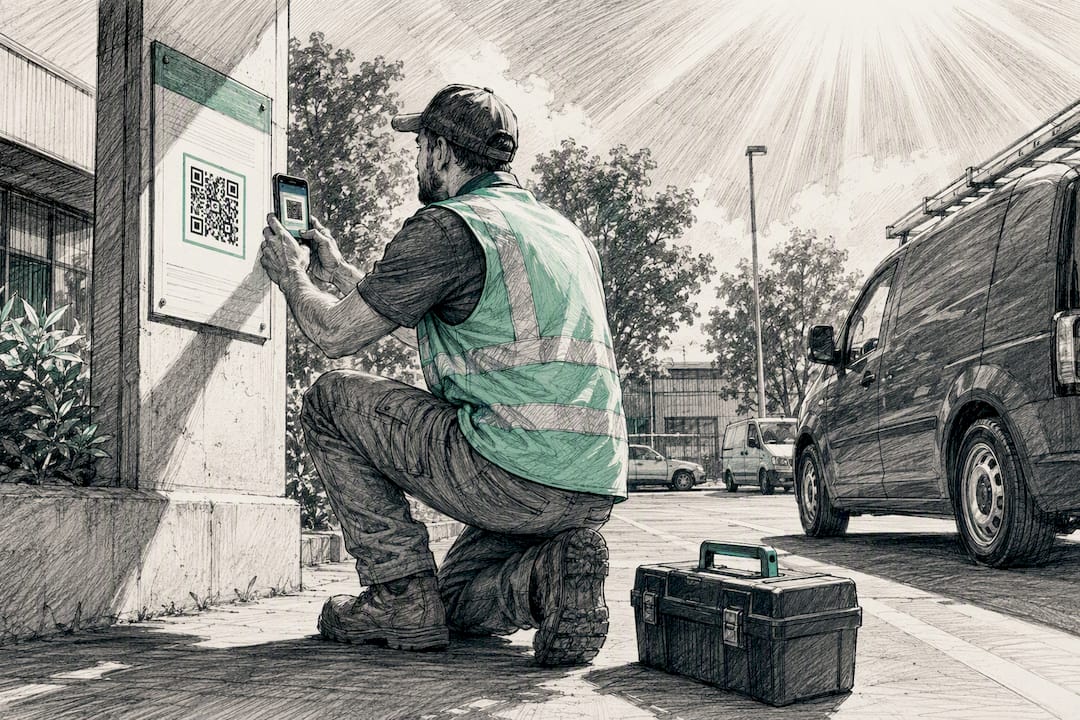
- Sign-on: workers scan a QR code on arrival, confirming they’ve read the current version, not last month’s.
- Reporting: supervisors get a live dashboard of which SWMS are active, overdue for review, or missing sign-on records.
- Maintenance: automated reminders flag SWMS due for review after an incident, a scope change, or a set time interval.
It helps to draw a line between simple document generators and integrated compliance platforms. A generator fills in a template and spits out a PDF. That’s useful but limited. An integrated platform links the SWMS to worker inductions, tracks licence expiry for high-risk work like rigging or asbestos removal, and sends reminders before anything lapses. The second category is what most sites actually need, because a SWMS sitting in isolation from your induction and licensing records is only solving part of the compliance problem. If your current setup is a folder of Word documents, even a basic template engine is a meaningful step up. If you’re already running structured digital records, the integrated approach is where the real time savings show up.
What Are the Benefits and Limits of Automated SWMS Processes?
The time savings are real and immediate. Teams that move from manual drafting to templated, rule-assisted SWMS creation typically cut prep time from hours to minutes per document, and completion rates climb because workers aren’t stuck waiting on a supervisor to finish a Word file between site visits. Centralized reporting also means a HSEQ manager can see, at a glance, which crews have signed onto the current version and which are working off something outdated. That single view is often the difference between catching a version problem before an audit and catching it during one.
Pro Tip: Track “time from task assignment to signed SWMS” as your core pilot metric. It exposes bottlenecks that a completion percentage alone will hide.
But speed cuts both ways. Automation can accelerate SWMS creation without automatically making a worksite safer — the outcome depends entirely on the governance wrapped around the tool. A rule engine or AI drafting assistant can generate a control that reads well but doesn’t match the actual site. Generic language like “wear appropriate PPE” satisfies a checklist, not a competent person’s judgment about the specific hazard in front of them.
The risks worth watching:
- Generic controls: AI-suggested text can default to boilerplate that technically ticks a box without addressing the site-specific hazard.
- Model hallucination: drafting assistants occasionally invent a regulation reference or control that doesn’t exist, which a rushed reviewer might miss.
- Compliance drift: without enforced review cycles, automation can quietly let outdated practices persist because nobody’s forced to re-examine them.
- Sign-on without comprehension: a QR scan proves presence, not understanding, if training isn’t reinforced alongside it.
Compliance drift is the one practitioners underestimate most. It’s not a dramatic failure. It’s a slow accumulation of small gaps: a control that was fine for the original scope but never got updated when the job changed, a reviewer who rubber-stamps because the software already looks thorough. Automation actually helps here, but only when it’s governed. Forced review intervals, mandatory reviewer sign-off, and automatic decommissioning of old versions turn automation from a risk multiplier into a genuine safeguard.
What Features and Integrations Matter Most for Australian Sites?
Not every SWMS tool deserves a spot in your stack. The features below separate a tool that holds up in an audit from one that just looks efficient on a laptop screen.
- Jurisdictional templates aligned to Australian WHS law. Templates need to reflect the actual high-risk construction work categories and risk management expectations that regulators check against, not a generic international template retrofitted with local labels.
- Versioning with forced decommissioning. When a SWMS is updated, the old version needs to be automatically pulled from active use so a worker can’t sign onto outdated instructions by mistake.
- Reviewer workflows. The system should route every draft to a named competent person before publication, and log who approved it and when.
- QR or mobile sign-on. Workers confirm they’ve reviewed the current version on arrival, creating a timestamped record without paper sign-in sheets.
- Audit logs. Every edit, approval, and sign-on needs a permanent, exportable trail, because that’s what an inspector or insurer will ask for first.
- A rule engine for high-risk detection. The software should flag when a task description matches a defined high-risk category and prompt for the relevant additional controls.
- Licence and training tracking. Integration with worker licences (rigging, EWP, confined space) means the system can block sign-on for anyone whose ticket has lapsed.
- APIs for broader integration. Connecting SWMS records to your existing scheduling or workforce system, similar to the integrations covered in this workforce management software buyer’s guide, avoids duplicate data entry across platforms.
Each of these matters because an auditor or WorkSafe inspector isn’t grading your paperwork on presentation. They’re checking whether the control matches the hazard, whether the version workers signed onto is current, and whether someone competent actually reviewed it. Missing any one of those breaks the chain of evidence, no matter how polished the PDF looks.
Two smaller features earn their place too: live PDF preview while drafting, so a reviewer can catch formatting or content issues before publishing, and offline access for sites with patchy mobile coverage, so sign-on doesn’t stall because a QR scanner has no signal in a basement car park.
Pro Tip: If a vendor can’t show you an exportable audit log during a demo, that’s a dealbreaker, not a follow-up question.
How Do You Roll Out SWMS Automation on an Australian Site?
Rolling out automation across an entire operation on day one is how governance gaps get baked in permanently. A staged approach catches problems while the stakes are still small.
- Pick a pilot site and a narrow SWMS scope. Choose one site or trade and two or three common SWMS types, like scaffolding erection or excavation work, rather than trying to automate everything at once.
- Baseline your current metrics before switching anything on. Record average prep time, current sign-on completion rate, and how often SWMS get edited after publication under your existing manual process.
- Assign a competent reviewer to every automated draft. No SWMS goes live without a named person checking it against actual site conditions, not just the software’s suggested controls.
- Set approval rules and enforce version decommissioning. Build the rule that automatically retires an old version the moment a new one is approved, so field workers can never sign onto stale instructions.
- Link inductions and licence tracking before go-live. Connect worker credentials to the sign-on process so the system blocks anyone without current licensing for high-risk tasks.
- Train supervisors on when to override the automated draft. The point of automation is speed, not blind trust. Supervisors need explicit permission and process to reject a generated control that doesn’t fit.
- Run the pilot for four to six weeks and track the same metrics. Compare SWMS prep time, sign-on compliance rate, number of overdue reviews, and how “inspector-ready” your audit trail actually looks under scrutiny.
- Expand only after governance holds up under pressure. If the pilot site handled a real audit, an incident review, or a scope change cleanly, extend the rollout. If governance broke down under any of those, fix it before scaling.
Baseline metrics matter more than most teams expect going in. Without a “before” number for SWMS prep time and sign-on rates, you can’t actually prove the automation delivered anything beyond a feeling that things are faster. Tracking prep time, sign-on completion, and post-publication edit frequency gives you a defensible before-and-after comparison, and it’s the same data an insurer or head contractor will want to see if they ask how you validated the rollout.
How Does Automated SWMS Work Interact with Safe Work Australia Requirements?
Automation changes how fast a SWMS gets produced. It does not change who’s responsible for it. The interactive SWMS tool from Safe Work Australia walks PCBUs through preparing a compliant Safe Work Method Statement, and it remains the clearest regulator-endorsed baseline for what a SWMS needs to contain, regardless of whether you draft it manually or with software. Using automation doesn’t shift legal responsibility away from the PCBU. The person conducting a business or undertaking still owns the outcome, and a well-designed digital record simply gives you better evidence that the process was followed properly.
That evidence layer is where automation earns its keep with regulators. Digital timestamps show exactly when a SWMS was drafted, reviewed, approved, and signed onto by each worker. Auditor-ready exports let you hand over a complete history in minutes instead of hunting through paper files or a shared drive of loosely named PDFs. Safe Work Australia also runs active consultations and periodically updates its guidance, which means a static, unmaintained template library will eventually fall out of step with current expectations.
A few practical habits keep automated systems aligned with regulator expectations:
- Retain every historic version, not just the current one, since an incident investigation may need to show what was in force at the time.
- Make reviewer identity traceable on every approval, so it’s clear which competent person signed off and when.
- Review your template library after any regulation update, rather than assuming automation stays current on its own.
- Keep sign-on records tied to the specific SWMS version a worker actually saw, not just a generic “acknowledged training” flag.
None of this replaces judgment. It just makes the judgment you already exercised easier to prove.
What Happened When a Melbourne Firm Automated Its Safety Admin?
A Melbourne-based firm working with Zatersio saved more than 20 hours per week after moving its manual administrative workflows, including document-heavy compliance processes, onto a custom-built automation system. That time wasn’t reclaimed by simply generating documents faster. It came from removing the back-and-forth that piles up when paperwork sits in email threads, gets manually re-entered across systems, and waits on someone to remember a review deadline.

The governance controls built into that kind of system matter as much as the automation itself. A reviewer workflow that requires named sign-off before anything publishes stops the “software said it’s fine” problem before it starts. Version decommissioning, where an old document is automatically pulled the moment a replacement is approved, closes the exact gap that causes crews to work from outdated instructions. Integration points that connect the automation to existing scheduling or record systems mean the time saved doesn’t get eaten back up by duplicate data entry somewhere else in the business.
Before engaging any build or vendor for this kind of work, it’s worth holding them to a short checklist:
- Does the system enforce reviewer approval before anything goes live?
- Does it automatically decommission outdated versions, or does that rely on someone remembering?
- Can it integrate with your existing induction, licensing, or scheduling records?
- Does it produce an audit-ready export without manual reformatting?
- Is the data hosted with Australian residency, given how much of this touches compliance records?
Pro Tip: Ask a prospective vendor or development partner to show you an actual audit export, not a sales deck slide about audit trails. The difference between the two tells you a lot.
When Should You Build Custom SWMS Automation Instead of Buying Off-the-Shelf?
Off-the-shelf SWMS platforms handle straightforward cases well: a single trade, standard high-risk categories, modest budget, and no unusual integration needs. If that’s your situation, buying a subscription is the faster path, and there’s no reason to overcomplicate it.
The calculation changes once you need something a template marketplace wasn’t built for. Complex approval chains across multiple contractors, data residency requirements tied to a specific client contract, or integration with a bespoke scheduling and licensing system push you toward a custom build. There’s also a financial angle worth weighing: eligible software development projects can potentially access the R&D Tax Incentive, which off-the-shelf subscriptions never qualify for.
My honest read is that most Australian construction businesses undersell how quickly “simple” workflows turn complicated once real sites and real subcontractors get involved. A checklist worth running before deciding: How many systems does this need to talk to? How fast do you need something live? How much governance complexity does your reviewer chain actually carry? If the answers point to more than basic templating, a custom build usually pays for itself faster than the ongoing cost of forcing a rigid platform to fit an operation it wasn’t designed for.
— Lakitha
How Zatersio Builds SWMS Automation That Fits Your Site, Not a Template
Zatersio builds the custom automation layer that off-the-shelf SWMS platforms can’t stretch to cover, whether that’s connecting reviewer workflows to your existing scheduling system, enforcing version decommissioning across multiple contractors, or structuring the build so it qualifies for the R&D Tax Incentive.

Zatersio works directly with Australian construction and safety teams to design and ship a working build in under two weeks, not months. Every project runs on fixed pricing, so you know the cost before development starts, and you get direct access to the engineering team building it rather than a support queue. Data residency stays in Australia, which matters when the records in question are compliance evidence a regulator might one day ask to see.
If your site has outgrown a generic template tool, or you’re weighing whether a pilot automation project makes sense before a wider rollout, start with a scoped MVP build and see what a governed, integrated system looks like for your operation.
Sources
For the regulator’s own guidance, start with the interactive SWMS tool and the managing risks page from Safe Work Australia, both of which set the baseline for what a compliant SWMS actually needs. Safe Work Australia’s consultation portal shows how guidance keeps evolving. For a more critical industry take on automation’s limits, the WorxSafety analysis is worth a read before you commit to any platform.